Ticket acceso FAQ
How to obtain your Ticket acceso
- Navigate to the Spanish Ministry of Education's Electronic Headquarters
- Visit the Inquiry of Official University of the Spanish Ministry of Education's Electronic Headquarters (Sede electrónica).
- Look for the "Consulta de Títulos Universitarios Oficiales" (Consultation of Official University Degrees) service.
- Click on "Acceder" under "Acceso como interesado" (Access as an interested party).
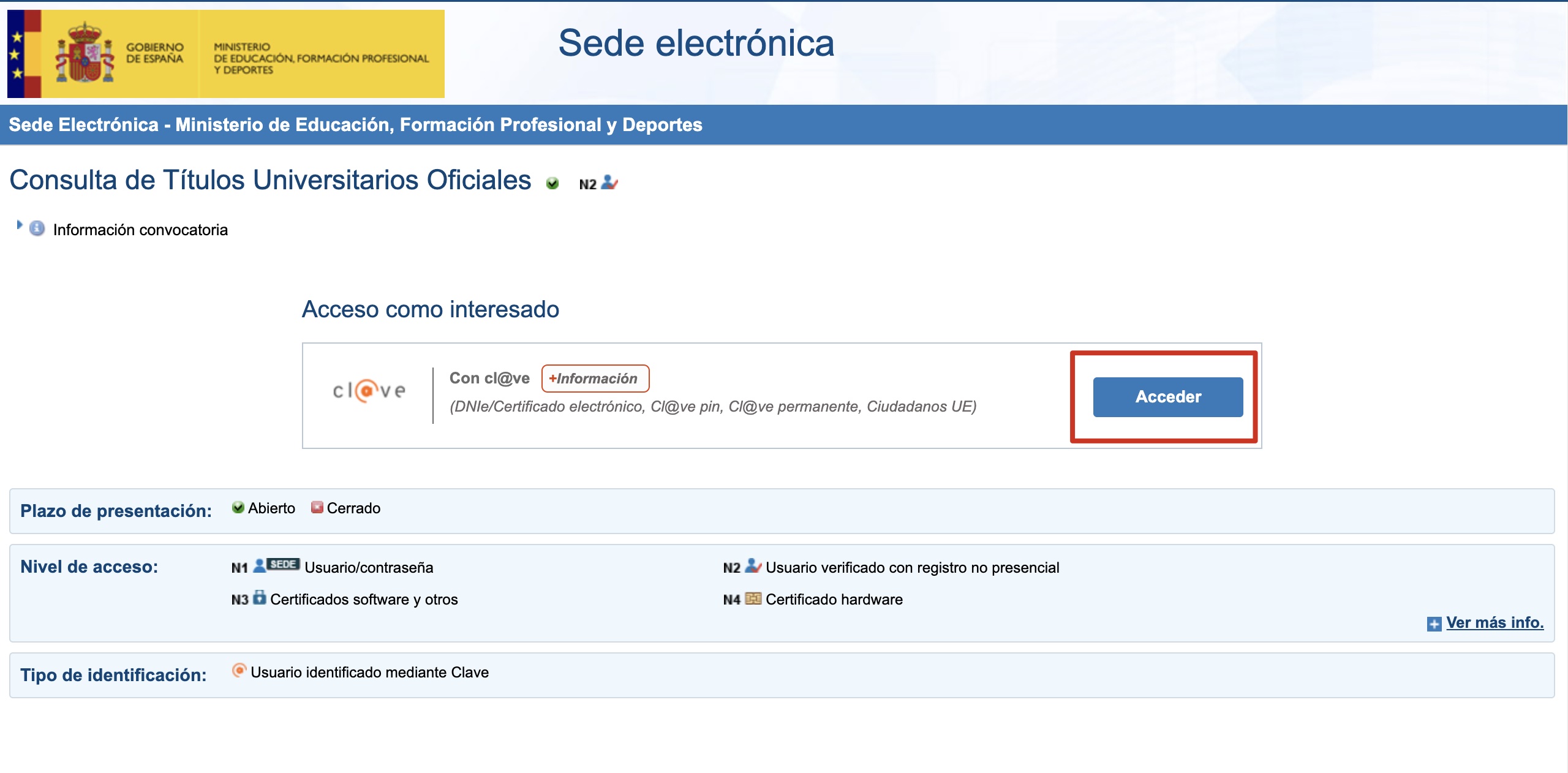
- Login with Cl@ve
- On the authentication page, select the authentication method you prefer.
- Follow the prompts to complete the authentication process for your chosen method.
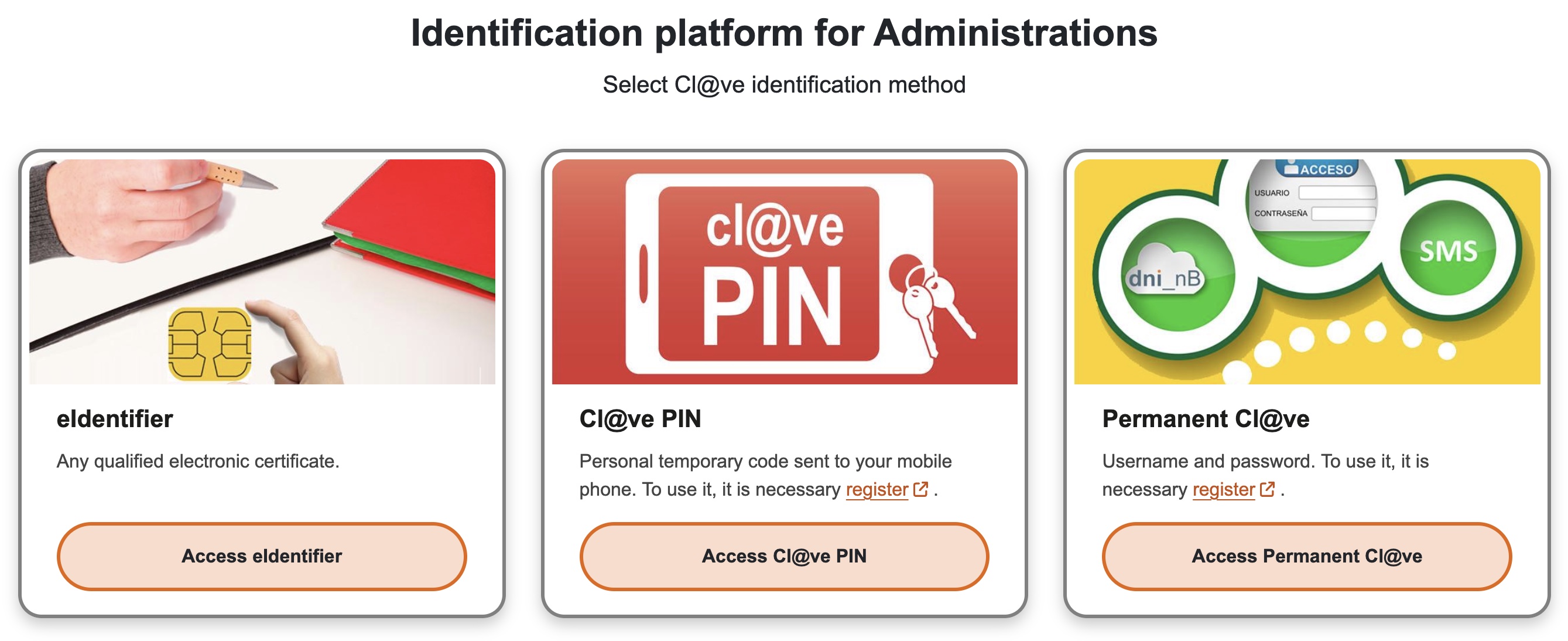
- Navigate to request summary
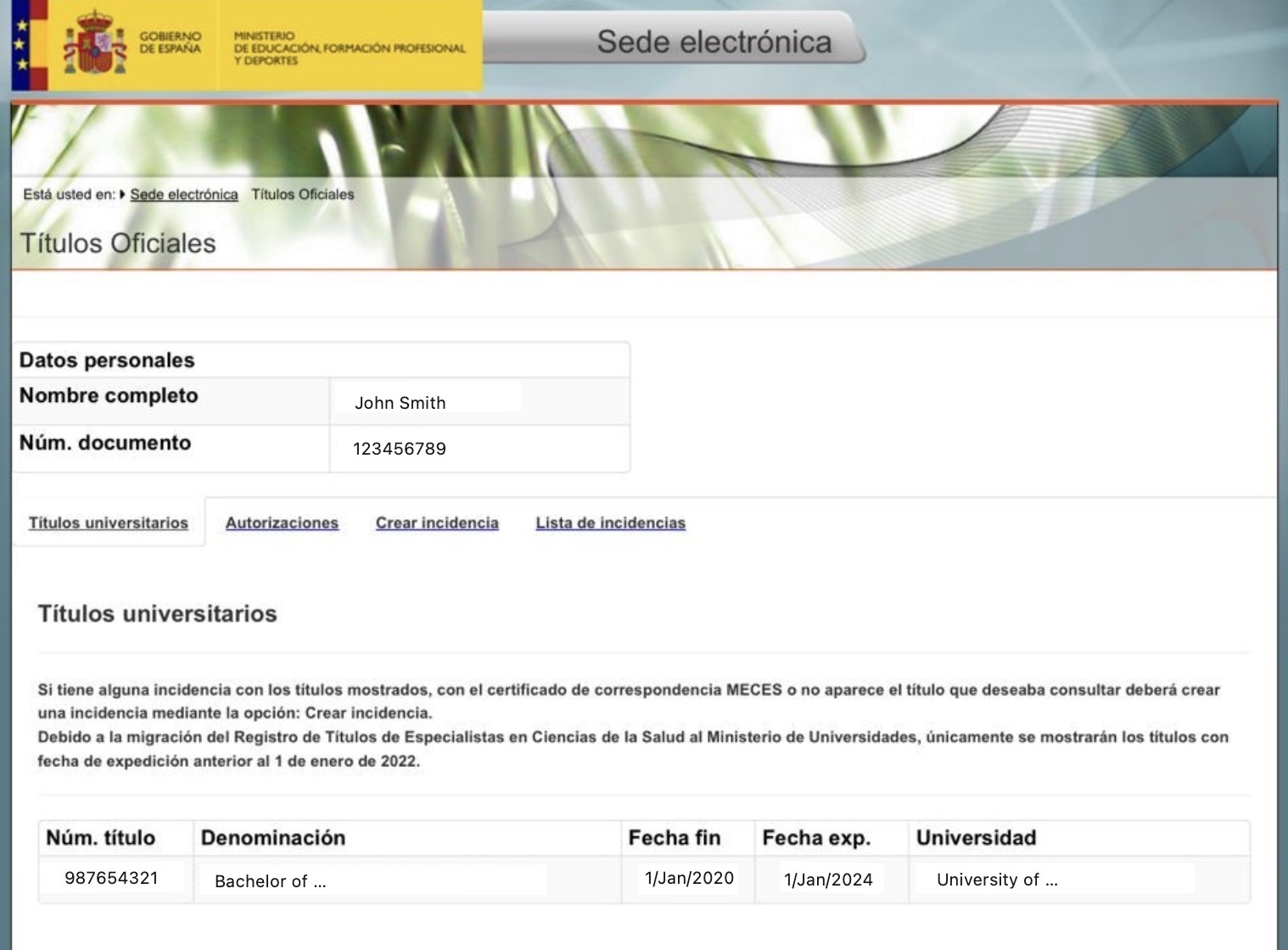
- After successful authentication, you'll see a summary of your request.
- Click on the "Acceso solicitud" (Access request) button at the bottom of the summary.
- You'll be taken to a page displaying your personal data and university degrees.
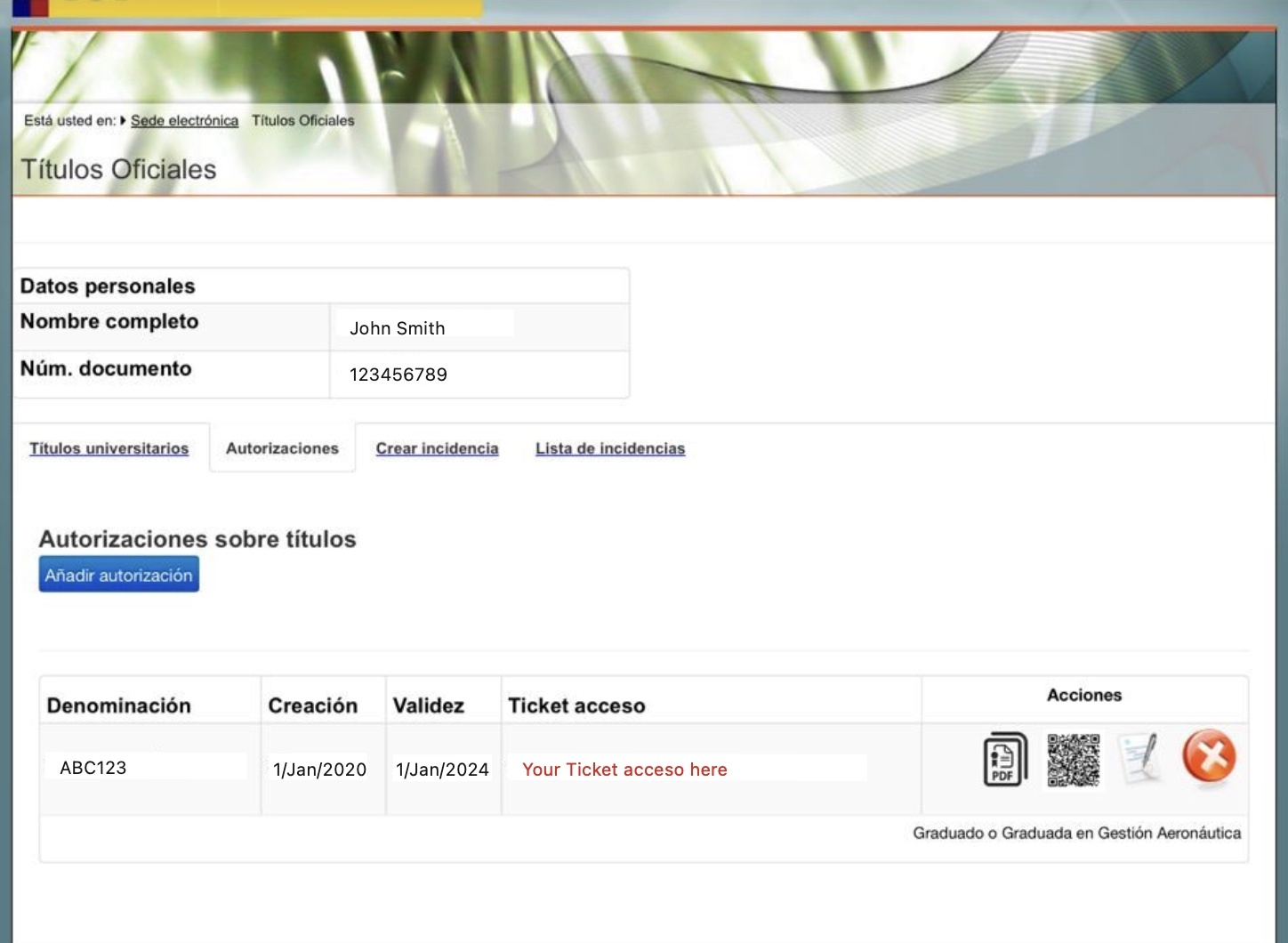
- Create Ticker Acceso
- On the degree information page, navigate to the "Autorizaciones" (Authorizations) tab.
- Click on "Añadir autorización" (Add authorization) to create a new authorization.
- Fill in the required information for the authorization, including the validity period.
- Confirm the creation of the new authorization.
- The system will generate a "Ticket acceso" - a long alphanumeric code.
- You can find this code in the "Ticket acceso" column of the authorizations table.
How do I verify using ZippedScript
- On the ZippedScript main page, click the "Verify Now" button:
- For desktop users: Located at the top right of the main page
- For mobile users: Located at the top of the main page
- Enter your email address to receive the verification result, and click "Continue".
- In the "Select the country where your institution is located" dropdown, choose "India".
- In the "Select Your Institution" field, type the name of your school and select the most appropriate option.
- In the "Select the type of degree you would like to verify" dropdown, choose the degree you wish to verify.
- For "Graduation status", select either "Enrolled" or "Graduate" as appropriate, and click "Continue".
- Input your "Ticket acceso", then proceed.
What is the Spanish Ministry of Education's Electronic Headquarters and Cl@ve?
The Spanish Ministry of Education's Electronic Headquarters
The Spanish Ministry of Education's Electronic Service, known as "Sede Electrónica del Ministerio de Educación y Formación Profesional," is an online platform that provides various educational services and information to citizens. These services include:
- Consultation of official university degrees
- Verification of academic certificates
- Application for degree recognition
- Access to educational resources
- Information on scholarships and grants
The service aims to simplify administrative processes related to education and make information more accessible to students, educators, and institutions.
You can access the Spanish Ministry of Education's Electronic Service at: Official page
Cl@ve
Cl@ve is the Spanish government's electronic identification platform that allows citizens to access various online public services securely. It provides multiple authentication methods to ensure secure access to government electronic services especially education.
Why use Ticket acceso with ZippedScript?
The Ticket acceso with ZippedScript enables secure verification and easy sharing of your Spanish university degrees with potential employers or institutions, providing temporary access without requiring full account access, thus enhancing privacy and security.